# Half Square Triangle (HST)

<figure><img src="https://667278489-files.gitbook.io/~/files/v0/b/gitbook-x-prod.appspot.com/o/spaces%2FPUFswdysHBJDPIJC9xe0%2Fuploads%2FWuhCxm3dJjNIz8kMTCYr%2FScreen%20Shot%202024-10-31%20at%203.30.48%20PM.png?alt=media&#x26;token=27be9f6a-00ca-43e4-8cdf-245c32c54cd6" alt="" width="375"><figcaption><p>Half Square Triangle Block Unit</p></figcaption></figure>

## <mark style="color:blue;">Half Square Triangle (HST) Block Unit in PreQuilt</mark>

As a foundation block unit, it's great to nail this one down!&#x20;

And since the idea behind this series is to build a block unit (not an entire block that is just a half square triangle), I'm going to create a 12" finished block that has half square triangle block units in it (like for example, the **Shoofly** quilt block).

&#x20; &#x20;

***

### YouTube Video

*Coming soon...*

***

### Help Guide

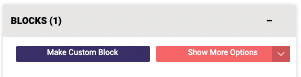
1. Click on the <mark style="color:blue;">**BLOCKS tab**</mark> on the left side control panel.

   <div align="left"><figure><img src="https://667278489-files.gitbook.io/~/files/v0/b/gitbook-x-prod.appspot.com/o/spaces%2FPUFswdysHBJDPIJC9xe0%2Fuploads%2FLp0hgWM5G9JorN7DTBLn%2FScreen%20Shot%202022-09-28%20at%203.46.28%20PM.png?alt=media&#x26;token=97caa245-c8af-4048-9342-27252c7cba8b" alt=""><figcaption></figcaption></figure></div>
2. Click on the <mark style="color:blue;">**Make Custom Block**</mark> button.

   <div align="left"><figure><img src="https://667278489-files.gitbook.io/~/files/v0/b/gitbook-x-prod.appspot.com/o/spaces%2FPUFswdysHBJDPIJC9xe0%2Fuploads%2FEp85lfXPh1t2HyDeRFSt%2FScreen%20Shot%202022-09-28%20at%203.47.18%20PM.png?alt=media&#x26;token=f16698cc-cee6-4b9b-aa75-77a209b9b7e3" alt=""><figcaption></figcaption></figure></div>
3. The **Block Editor panel** will slide out and overtake your screen. My block is set to 12" x 12" finished, but it doesn't matter, the next steps will work for all sized blocks.
4. Set your grid guidelines by changing the number for the horizontal and vertical units.

   * Since I'm going to be creating the **Shoofly** quilt block, I'll set my gridlines to 3 horizontal and 3 vertical units.

   <div align="left"><figure><img src="https://667278489-files.gitbook.io/~/files/v0/b/gitbook-x-prod.appspot.com/o/spaces%2FPUFswdysHBJDPIJC9xe0%2Fuploads%2FQqxWGAQMci3pSm0y3rUW%2FScreen%20Shot%202024-09-18%20at%2011.21.13%20AM.png?alt=media&#x26;token=a175235f-8bc5-4639-acc8-6a72bbb50402" alt=""><figcaption></figcaption></figure></div>

   <figure><img src="https://667278489-files.gitbook.io/~/files/v0/b/gitbook-x-prod.appspot.com/o/spaces%2FPUFswdysHBJDPIJC9xe0%2Fuploads%2Fq3kdNW3oMFXcVwDd5eG3%2FScreen%20Shot%202024-09-18%20at%2011.04.57%20AM.png?alt=media&#x26;token=cb07ff4c-050c-420b-b8a6-780cac3ba5e5" alt=""><figcaption></figcaption></figure>
5. Click on the <mark style="color:blue;">**half square triangle shape**</mark> (<img src="https://667278489-files.gitbook.io/~/files/v0/b/gitbook-x-prod.appspot.com/o/spaces%2FPUFswdysHBJDPIJC9xe0%2Fuploads%2FOOczoHCspS78lYiKhndc%2FHST%20piece.png?alt=media&#x26;token=8ab6bd3b-4b8f-4a5f-ae06-70ed1e35478b" alt="" data-size="line">) from the central control panel.
6. One half square triangle will be added to the block space. <mark style="color:blue;">**Move**</mark> it into the correct position by clicking on the shape on the block space and moving it to where it belongs.

   <div><figure><img src="https://667278489-files.gitbook.io/~/files/v0/b/gitbook-x-prod.appspot.com/o/spaces%2FPUFswdysHBJDPIJC9xe0%2Fuploads%2FxJRBInj7wApZEXy6ghWO%2FScreen%20Shot%202024-09-18%20at%2011.09.01%20AM.png?alt=media&#x26;token=5b9124eb-6b79-44f7-ad2f-8d8ce45fcb1c" alt=""><figcaption><p>HST shape added to the quilt block space</p></figcaption></figure> <figure><img src="https://667278489-files.gitbook.io/~/files/v0/b/gitbook-x-prod.appspot.com/o/spaces%2FPUFswdysHBJDPIJC9xe0%2Fuploads%2FfaDu4drWPsnNysaGQ0sI%2FScreen%20Shot%202024-09-18%20at%2011.09.11%20AM.png?alt=media&#x26;token=fd2d94ec-5d9b-4e2a-afe6-b760b8383159" alt=""><figcaption><p>HST shape moved to build the block</p></figcaption></figure></div>
7. We now have one half square triangle that fills one ninth of the quilt block.
   * Keep in mind this is only half of the block unit, the other half is empty (denoted by gingham background).
8. With the half square triangle shape selected, click on the <mark style="color:blue;">**Clone button**</mark> (![](https://667278489-files.gitbook.io/~/files/v0/b/gitbook-x-prod.appspot.com/o/spaces%2FPUFswdysHBJDPIJC9xe0%2Fuploads%2F2pQdYw3yn0w3jGirpIZM%2FClone.png?alt=media\&token=19516272-01c1-4426-adbf-2dcca0b50236)) on the central control panel.

   <figure><img src="https://667278489-files.gitbook.io/~/files/v0/b/gitbook-x-prod.appspot.com/o/spaces%2FPUFswdysHBJDPIJC9xe0%2Fuploads%2FeIvnSXBK0LTDeAki1vNl%2FScreen%20Shot%202024-09-18%20at%2011.13.12%20AM.png?alt=media&#x26;token=8755619c-67c9-41b7-9f8e-b7b080ee7719" alt=""><figcaption><p>Cloned HST shape - identical to the first HST (Using Fabric Link A)</p></figcaption></figure>
9. Click on the <mark style="color:blue;">**Link button**</mark> for a different fabric link (so that there are 2 different fabrics being used in your half square triangle block (unit).

   <figure><img src="https://667278489-files.gitbook.io/~/files/v0/b/gitbook-x-prod.appspot.com/o/spaces%2FPUFswdysHBJDPIJC9xe0%2Fuploads%2FSCaBePOrrxoIt8XV8PWs%2FScreen%20Shot%202024-09-18%20at%2011.13.25%20AM.png?alt=media&#x26;token=083b5f24-901c-41c1-8e24-07c3fe200f90" alt=""><figcaption><p>Cloned HST shape - now using Fabric Link C</p></figcaption></figure>
10. Click on the <mark style="color:blue;">**Rotate button**</mark> (![](https://667278489-files.gitbook.io/~/files/v0/b/gitbook-x-prod.appspot.com/o/spaces%2FPUFswdysHBJDPIJC9xe0%2Fuploads%2FGR6TNyrDdrPEBMQ1kC2G%2FRotate.png?alt=media\&token=dee9dfad-4200-4439-9f46-abdcffb41cdf)) on the central control panel so that it is in the correct orientation.

    <div><figure><img src="https://667278489-files.gitbook.io/~/files/v0/b/gitbook-x-prod.appspot.com/o/spaces%2FPUFswdysHBJDPIJC9xe0%2Fuploads%2FXGwZ8pbMClTwn4B0yLTV%2FScreen%20Shot%202024-09-18%20at%2011.14.10%20AM.png?alt=media&#x26;token=27b1c4af-2d1d-474b-9d5f-68c62306ba19" alt=""><figcaption></figcaption></figure> <figure><img src="https://667278489-files.gitbook.io/~/files/v0/b/gitbook-x-prod.appspot.com/o/spaces%2FPUFswdysHBJDPIJC9xe0%2Fuploads%2F7zLCGjUcJM0fLTcPqNGC%2FScreen%20Shot%202024-09-18%20at%2011.13.56%20AM.png?alt=media&#x26;token=1f4a6233-be34-4574-9598-29019a2ba3d3" alt=""><figcaption></figcaption></figure></div>
11. <mark style="color:blue;">**Move**</mark> the new half square triangle piece so it fills the empty half of the quilt block unit. It should snap into place and be snug with the first half square triangle piece.

    <div align="left"><figure><img src="https://667278489-files.gitbook.io/~/files/v0/b/gitbook-x-prod.appspot.com/o/spaces%2FPUFswdysHBJDPIJC9xe0%2Fuploads%2FFrIsaqOOB9VDIcFcUGEz%2FScreen%20Shot%202024-11-07%20at%2011.16.37%20AM.png?alt=media&#x26;token=ab67c1bf-3720-480b-93df-9888671fa068" alt="" width="375"><figcaption><p>1 x HST block unit</p></figcaption></figure> <figure><img src="https://667278489-files.gitbook.io/~/files/v0/b/gitbook-x-prod.appspot.com/o/spaces%2FPUFswdysHBJDPIJC9xe0%2Fuploads%2FMMsi5j1zNcXaoEoLsc0G%2FScreen%20Shot%202024-11-07%20at%2011.15.39%20AM.png?alt=media&#x26;token=9559c149-3e06-4d0f-a238-3ad131d1f9cf" alt="" width="375"><figcaption><p>Shoofly Block with 4 HST block units</p></figcaption></figure></div>

&#x20;   &#x20;

***

## <mark style="color:blue;">Sewing Construction Diagrams</mark>

### <mark style="color:blue;">2 at a Time Method</mark>

<figure><img src="https://667278489-files.gitbook.io/~/files/v0/b/gitbook-x-prod.appspot.com/o/spaces%2FPUFswdysHBJDPIJC9xe0%2Fuploads%2Ffzsv0ujFq8l6ohFnfN2v%2F2-at-a-Time.jpg?alt=media&#x26;token=96292e75-262c-4130-99e2-e840ffc74541" alt=""><figcaption></figcaption></figure>

{% file src="<https://667278489-files.gitbook.io/~/files/v0/b/gitbook-x-prod.appspot.com/o/spaces%2FPUFswdysHBJDPIJC9xe0%2Fuploads%2FopI9QNl7BwTfqmyQtuXl%2FHST%202%20at%20a%20Time.pdf?alt=media&token=62628876-d2b0-4e6b-9e0a-838034da2f72>" %}

### <mark style="color:blue;">4 at a Time Method</mark>

<figure><img src="https://667278489-files.gitbook.io/~/files/v0/b/gitbook-x-prod.appspot.com/o/spaces%2FPUFswdysHBJDPIJC9xe0%2Fuploads%2F6CgxoK97wW3DPFjJRFXI%2F4-at-a-Time.jpg?alt=media&#x26;token=846f6066-96a8-438c-a68d-d63945a3c4c0" alt=""><figcaption></figcaption></figure>

{% file src="<https://667278489-files.gitbook.io/~/files/v0/b/gitbook-x-prod.appspot.com/o/spaces%2FPUFswdysHBJDPIJC9xe0%2Fuploads%2F8UGsrJk9vgkPMj1ntVlh%2FHST%204%20at%20a%20Time.pdf?alt=media&token=461ae153-706e-406e-9245-c2f628f0c41b>" %}

### <mark style="color:blue;">8 at a Time Method</mark>

<figure><img src="https://667278489-files.gitbook.io/~/files/v0/b/gitbook-x-prod.appspot.com/o/spaces%2FPUFswdysHBJDPIJC9xe0%2Fuploads%2FzhxgopAD4CaNXKc5eFIb%2F8-at-a-Time.jpg?alt=media&#x26;token=e843e4a3-b379-4055-aefc-9411939543ea" alt=""><figcaption></figcaption></figure>

{% file src="<https://667278489-files.gitbook.io/~/files/v0/b/gitbook-x-prod.appspot.com/o/spaces%2FPUFswdysHBJDPIJC9xe0%2Fuploads%2F4Ci9x3WjauCe53bnEzmG%2FHST%208%20at%20a%20Time.pdf?alt=media&token=646db5a8-2e1e-454b-87f7-590c432d95b3>" %}

### <mark style="color:blue;">32 at a Time Method</mark>

<div data-full-width="false"><figure><img src="https://667278489-files.gitbook.io/~/files/v0/b/gitbook-x-prod.appspot.com/o/spaces%2FPUFswdysHBJDPIJC9xe0%2Fuploads%2F2vWZPo5MwgDOOTrxVMie%2F32-at-a-Time-1.jpg?alt=media&#x26;token=475c091b-b9e3-4a2e-9619-c41b1909d623" alt=""><figcaption></figcaption></figure></div>

<figure><img src="https://667278489-files.gitbook.io/~/files/v0/b/gitbook-x-prod.appspot.com/o/spaces%2FPUFswdysHBJDPIJC9xe0%2Fuploads%2F6lqtee6V8czBs1OoDnai%2F32-at-a-Time-2.jpg?alt=media&#x26;token=4bed2d24-d2e5-4b32-a09f-609fe0dbc8d5" alt=""><figcaption></figcaption></figure>

{% file src="<https://667278489-files.gitbook.io/~/files/v0/b/gitbook-x-prod.appspot.com/o/spaces%2FPUFswdysHBJDPIJC9xe0%2Fuploads%2FrlTJcTRuklIz9Dfv6Zb4%2FHST%2032%20at%20a%20Time.pdf?alt=media&token=f9f6033a-73db-42d4-a647-9215255220c6>" %}


---

# Agent Instructions: Querying This Documentation

If you need additional information that is not directly available in this page, you can query the documentation dynamically by asking a question.

Perform an HTTP GET request on the current page URL with the `ask` query parameter:

```
GET https://help.prequilt.com/prequilt-101/build-a-block-unit-for-the-fabric-calculator/triangular-units/half-square-triangle-hst.md?ask=<question>
```

The question should be specific, self-contained, and written in natural language.
The response will contain a direct answer to the question and relevant excerpts and sources from the documentation.

Use this mechanism when the answer is not explicitly present in the current page, you need clarification or additional context, or you want to retrieve related documentation sections.